


Uniwersalny 10,26” ekran Carplay – radio multimedialne
Uniwersalny 10,26” ekran Carplay – radio multimedialne
Assign upsell products in block settings
Nie można załadować gotowości do odbioru
-
Zamówione
- - -
Zpakowane
- - -
Dostarczone

Uniwersalny 10,26” ekran Carplay – radio multimedialne
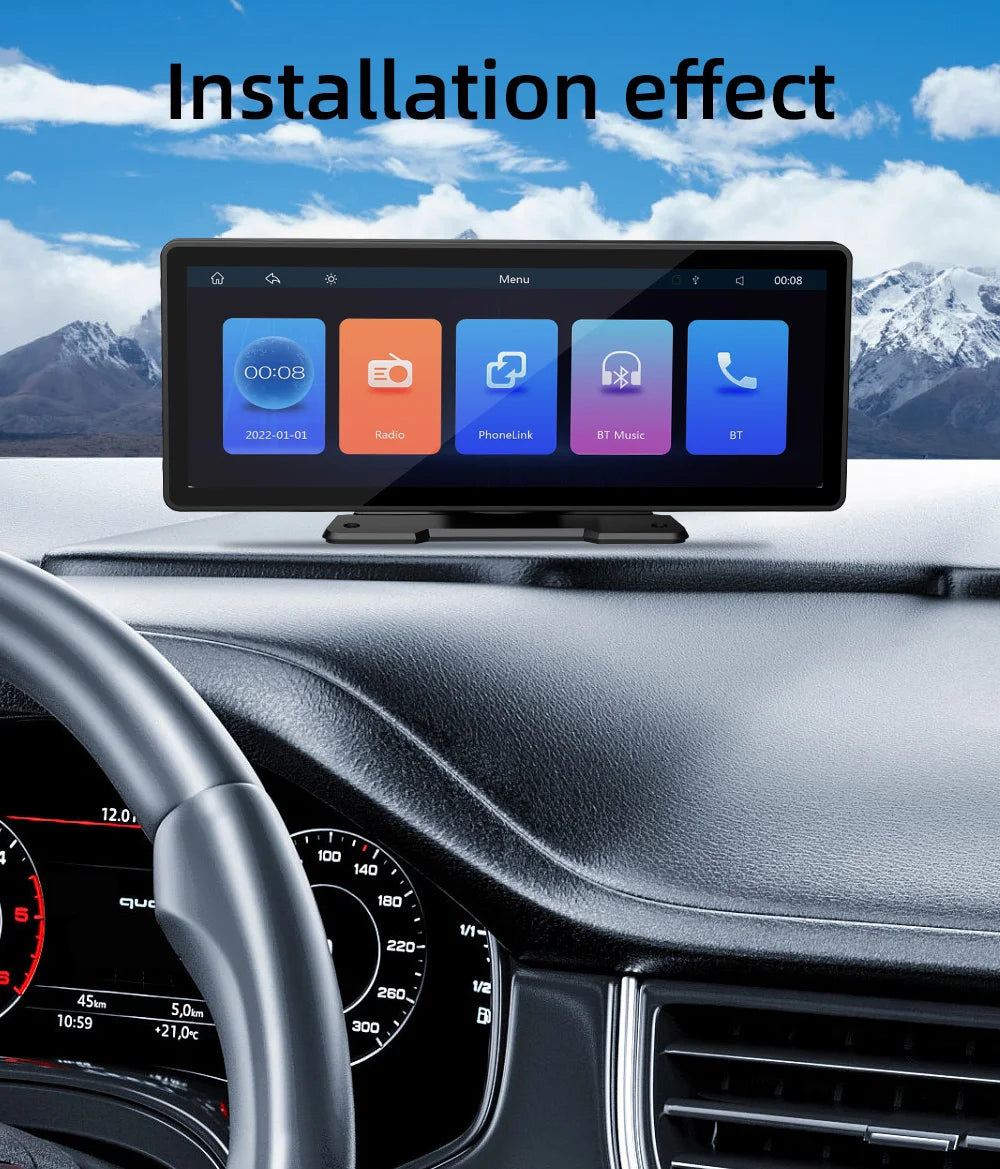
Wielki ekran, wielkie możliwości! 10,26-calowe radio multimedialne z CarPlay to centrum rozrywki i nawigacji w Twoim samochodzie. Ogromny dotykowy wyświetlacz HD, bezprzewodowe CarPlay i Android Auto, Bluetooth i wiele więcej. Pasuje do większości pojazdów.
Big screen, big possibilities! The 10.26-inch multimedia radio with CarPlay is your car's entertainment and navigation hub. Massive HD touchscreen, wireless CarPlay and Android Auto, Bluetooth, and much more. Fits most vehicles.


Q: How do I connect carplay and
Android car?
A: Search for the Bluetooth device \"carplay\"
on your mobile phone. When you connect it for the first time, the mobile phone
will pop up a prompt, please click to use or trust the device.
Q: How do I connect a mirror link?
A: Before the phone is connected, click on
phoneLink function of the device, change the automatic connection option under
the corresponding phone type to mirror, then connect the phone data cable, and
click the corresponding authorization on the phone end to connect.
Q: How do you get the sound through the car horn?
A: There are three points about the sound problem:
1. Our device comes with a small speaker that can make sound, you can turn it
off by setting; 2. 2. Transmit the sound to the original car radio through the
FM transmission function of the device (for example, select 86.3MHZ on the
device, and then play the U disk music, then search 86.3MHZ on the car radio);
3. Use the 3.5mmAUX cable to transmit the audio to the original carplayer
through the AUX OUT interface of the machine (some models do not support this
function, please see the interface description of the product for details).
Q: The Bluetooth connection fails, or some
functions are abnormal after connection?
A: Please use your mobile phone to search for
Bluetooth of the machine, and the name is \"carplay\"; Delete the
devices that have been paired with but are not connected to the phone. Some
Bluetooth devices that have been paired with each other may cause the phone's
Bluetooth cannot be paired with other devices or its function is abnormal.
Q: Will Bluetooth connection not automatically
connect to car paly or Android auto?
A: Some connected Bluetooth devices will cause our
device to fail to jump automatically. Please clear all paired Bluetooth devices
on the mobile phone, restart the Bluetooth of the mobile phone and the vehicle
device, and re-establish the Bluetooth connection.
Q: Playing music and talking on
the phone too quietly?
A: Hold down the top of the screen with your finger
and slide down. You can adjust the playing volume after pulling down the status
bar; When you return to the home screen during a call, you can adjust the call
volume in the status bar.
Q: Can't remember time and date?
A: Because of the high temperature in the car in
summer, in order to ensure safety, the machine does not have a battery, so it
cannot remember the time and date. After connecting the mobile phone, it will
automatically update the time and date.
Q: Can't read or play SD, USB music and videos?
A: Please use 8G or 16G storage card or USB flash
drive. Some large-capacity storage devices may not support it. Format the
storage device to ensure that the storage device's file system is the default
value; Partially encoded video or music may not be recognized by the machine,
please use common format media files.


Nasi klienci domawiają również:
-
Uniwersalny ekran z Wireless Carplay do samochodu z dotykowym ekranem
Cena regularna Od 139,99 złCena regularna Od 139,99 zł Cena sprzedażyCena jednostkowa na186,65 zł24% -
Uniwersalny zimowy pokrowiec na kierownicę motocyklową, gruby, z pluszu
Cena regularna 59,99 złCena regularna 59,99 zł Cena sprzedażyCena jednostkowa na79,99 zł25% -
Skórzany pokrowiec na kierownicę do Renault Megane 2/3, Clio, Duster
Cena regularna 44,99 złCena regularna 44,99 zł Cena sprzedażyCena jednostkowa na59,99 zł25% -
Pokrowiec na dźwignię zmiany biegów samochodowy w kształcie bluzy
Cena regularna 27,99 złCena regularna 27,99 zł Cena sprzedażyCena jednostkowa na37,32 zł25% -
Uniwersalny hak na plecy fotela samochodowego do torebki, odzieży
Cena regularna 19,99 złCena regularna 19,99 zł Cena sprzedażyCena jednostkowa na26,65 zł24% -
Uniwersalna listwa ochronna zderzaka 48cm do Audi, BMW, Honda
Cena regularna 24,00 złCena regularna 24,00 złCena jednostkowa na -
Zabawka w kształcie żółtej kaczki do dekoracji deski rozdzielczej
Cena regularna 19,99 złCena regularna 19,99 zł Cena sprzedażyCena jednostkowa na26,65 zł24% -
Radio Android 14 Carplay do Ford Transit 2015-2018
Cena regularna Od 159,99 złCena regularna Od 159,99 zł Cena sprzedażyCena jednostkowa na213,32 zł25% -
Przenośna popielniczka LED – uniwersalna do auta
Cena regularna Od 39,99 złCena regularna Od 39,99 zł Cena sprzedażyCena jednostkowa na53,32 zł25% -
Podofo Wireless CarPlay do Smart Fortwo 451 2005-2015
Cena regularna Od 219,99 złCena regularna Od 219,99 zł Cena sprzedażyCena jednostkowa na293,32 zł25% -
Miękki pokrowiec na kierownicę z futerkiem, antypoślizgowy, na zimę
Cena regularna 39,99 złCena regularna 39,99 zł Cena sprzedażyCena jednostkowa na53,32 zł25% -
Obrotowy odświeżacz powietrza – mini aromaterapia do auta
Cena regularna 44,99 złCena regularna 44,99 zł Cena sprzedażyCena jednostkowa na59,99 zł25% -
Naklejka motocyklowa Monster Claw, wodoodporna, odblaskowa
Cena regularna 24,99 złCena regularna 24,99 zł Cena sprzedażyCena jednostkowa na33,32 zł25% -
Szybka ładowarka samochodowa do BMW X1 X2 X3 X5 X7
Cena regularna 59,99 złCena regularna 59,99 zł Cena sprzedażyCena jednostkowa na79,99 zł25% -
Pokrowiec na kierownicę z futerkiem w panterkę, bez pierścienia
Cena regularna 44,99 złCena regularna 44,99 zł Cena sprzedażyCena jednostkowa na59,99 zł25% -
Junsun Wireless CarPlay Android Auto do Seat Leon MK2 2005-2012
Cena regularna Od 159,99 złCena regularna Od 159,99 zł Cena sprzedażyCena jednostkowa na213,32 zł25% -
Junsun CarPlay Android Auto do Ford Focus 2 3 Mk2 Mk3 2004-2011
Cena regularna Od 139,99 złCena regularna Od 139,99 zł Cena sprzedażyCena jednostkowa na186,65 zł24% -
JIUYIN Wireless CarPlay Android Auto do Audi A3 8P 2003-2013
Cena regularna Od 179,99 złCena regularna Od 179,99 zł Cena sprzedażyCena jednostkowa na239,99 zł25% -
Pokrowiec na kierownicę zamszowy, antypoślizgowy, uniwersalny
Cena regularna 49,99 złCena regularna 49,99 zł Cena sprzedażyCena jednostkowa na66,65 zł24% -
Hizpo Octa Core 7862 radio samochodowe do FIAT Grande Punto 2007-2012
Cena regularna Od 169,99 złCena regularna Od 169,99 zł Cena sprzedażyCena jednostkowa na226,65 zł24%


